
How to Automate Savings (Even If Your Income Is Irregular)

Last updated 03/18/2026 by
Andrew Latham
Edited by
Andrew Latham
Summary:
Automating your savings means setting up recurring transfers, direct deposit splits, or app-based rules that move money into savings without relying on willpower. People who automate consistently save two to three times more than those who transfer manually, because automation removes the decision point where most people falter.
The most effective framework is “pay yourself first” — automatically directing a fixed percentage of income to savings before paying bills or spending on anything else.
Below, we break down five automation methods, how to make them work on an irregular income, and common mistakes that cause people to turn automation off.
Take control of your financial future
SuperMoney's AI-powered budgeting and personalized financial insights help you reduce financial stress and achieve your goals faster.
Why Automating Your Savings Changes Everything
Americans who automate their savings consistently save two to three times more than those who rely on manual transfers, according to research from Vanguard’s behavioral finance team. The reason isn’t discipline — it’s design.
When saving requires an active decision every paycheck, life gets in the way. Automation removes that friction entirely.
Automated savings is the process of setting up systems — recurring bank transfers, direct deposit splits, round-up rules, or AI-powered savings tools — that move money into a savings account on your behalf, on a schedule you choose.
The concept builds on a well-known principle in behavioral economics: reducing friction increases follow-through. When the default action is saving, you don’t have to fight decision fatigue or the urge to obsess over every dollar. The money moves before you can talk yourself out of it.
What Does It Mean to “Pay Yourself First”?
“Pay yourself first” means automatically setting aside a fixed amount or percentage of your income for savings before paying bills, buying groceries, or spending on anything else.
Instead of saving whatever is “left over” at the end of the month (which is often nothing), you treat savings as your first and most important expense.
The pay yourself first method flips the traditional budgeting equation:
- Traditional approach: Income − Expenses = Savings (whatever’s left)
- Pay yourself first: Income − Savings = What You Can Spend
Most financial planners recommend saving 10–20% of gross income, though any amount is a valid starting point. The key to making it sustainable is automation — willpower is a limited resource, especially when financial stress and anxiety are already running high.
How to Automate Your Savings in 5 Steps
There’s no single “right” way to automate savings. The best method depends on your bank, your income pattern, and how hands-off you want to be.
- Set up a recurring bank transfer — Schedule automatic transfers from checking to a high-yield savings account after each payday.
- Use round-up savings — Each purchase rounds to the nearest dollar, with the spare change deposited into savings automatically.
- Split your direct deposit — Route a fixed amount or percentage of each paycheck directly into a savings account before it hits checking.
- Automate with a budgeting app — AI-powered apps analyze your cash flow and move “safe-to-save” amounts automatically.
- Start with a savings challenge — Use a structured challenge (like the 52-week challenge) to build the savings habit, then upgrade to full automation.
Here’s how the five methods compare at a glance:
| Method | Best for | Effort to set up | Works on irregular income? |
|---|---|---|---|
| Recurring bank transfer | Steady paychecks | 5 minutes | Partially (fixed amount) |
| Round-up savings | Beginners, low income | 5 minutes | Yes |
| Direct deposit split | Maximum automation | 10–15 minutes (HR form) | Yes (use a percentage) |
| AI budgeting app | Variable income, hands-off | 10 minutes | Yes (adjusts automatically) |
| Savings challenge | Building the habit first | No setup needed | Yes |
1. Set Up a Recurring Bank Transfer
The simplest method. Most banks let you schedule automatic recurring transfers from checking to savings — daily, weekly, biweekly, or monthly.
Log into your bank’s online portal, navigate to “Transfers,” select “Recurring,” and choose an amount and frequency that matches your pay schedule. Set a calendar reminder to review quarterly.
Using a high-yield savings account as the destination means your automated deposits immediately start earning more interest. No monthly fees and zero minimum balance requirements are two key reasons why a HYSA is the right account for automated savings — you keep more of what you earn and aren’t penalized for variable deposit amounts. Compare the best savings accounts here to find the highest rate available.
Once your emergency savings is on autopilot, consider setting up a separate recurring transfer to a sinking fund to save for specific expenses like car repairs, holidays, or annual bills. Knowing the difference between an emergency fund, savings, and sinking fund makes it much easier to set the right transfer amount for each account from the start.
2. Use Round-Up Savings
Round-up savings automatically rounds each purchase to the nearest dollar and transfers the difference to savings. A $3.75 coffee becomes $4.00, and the extra $0.25 goes straight to your savings account.
Several banks and apps offer this feature, including Acorns, Chime, and Bank of America’s Keep the Change program. A typical round-up saver accumulates $30–50 per month without noticing.
Round-ups are especially effective if the idea of automating $200 a month feels intimidating — particularly if you’re already budgeting with anxiety. Start with round-ups, then layer on larger transfers once the habit is established.
3. Split Your Direct Deposit
Many employers let you split your direct deposit between multiple accounts. A portion of your paycheck goes directly into savings before it ever hits checking — the ultimate “out of sight, out of mind” strategy.
Ask your HR department for a direct deposit form, add your savings account with its routing and account numbers, and specify a fixed dollar amount or percentage to route each pay period.
You never see the money in checking, so you naturally adjust spending to what’s available. If you need to open a savings account for this purpose, start there first.
4. Automate Savings With a Budgeting App
AI-powered budgeting apps go beyond scheduled transfers. They analyze your income patterns, spending habits, and upcoming bills to identify “safe-to-save” amounts — money you can set aside without risking overdrafts.
This is especially useful for variable income. Rather than guessing how much you can save each week, the app calculates it based on real-time cash flow.
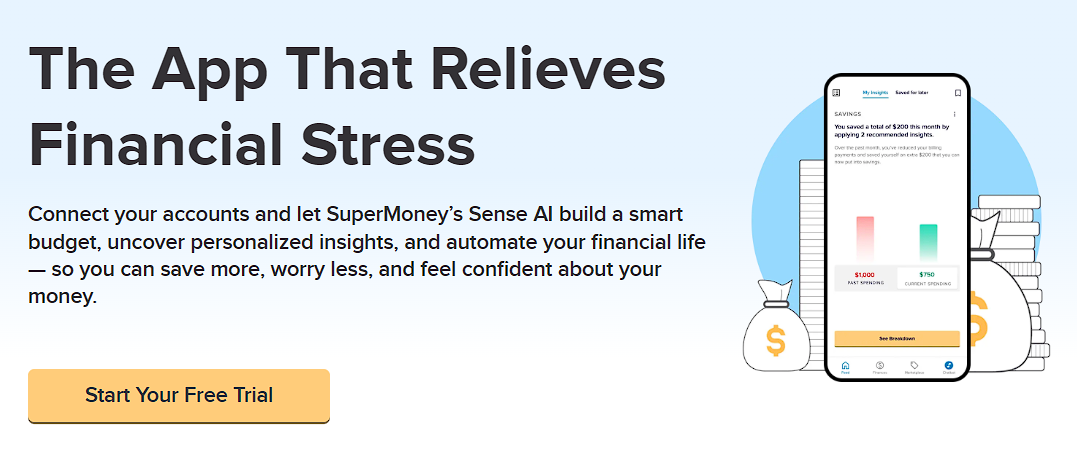
SuperMoney’s app uses AI-powered insights (Sense AI) to track spending, surface saving opportunities, and build an automatic savings habit tailored to your actual financial picture — not a one-size-fits-all rule.
5. Use Savings Challenges as a Gateway
If full automation feels like too big a leap, start with a savings challenge. These use small, structured deposits that increase over time — like saving $1 the first week, $2 the second, and so on. The classic 52-week savings challenge adds up to $1,378 by year’s end.
Other popular options:
- $5 challenge: Save every $5 bill you receive
- No-spend challenge: Designate certain days or weeks as no-spend periods
- Round-up challenge: Manually round up and save the difference if your bank doesn’t do it automatically
- 100 envelope challenge: Fill 100 numbered envelopes with amounts from $1 to $100 — a visual, flexible method that saves $5,050 without requiring a fixed schedule
Once the habit is established — usually within 4–8 weeks — most people are ready to upgrade to full automation. Combining a savings challenge with a broader “set it and forget it” money system is one of the fastest paths from financial stress to financial confidence.
Pro Tip: Don’t pick just one method. The most effective savers layer multiple strategies — splitting their direct deposit for the bulk, enabling round-ups on daily purchases, and using an AI app to sweep surplus cash weekly. Layering creates redundancy, so even if one method is disrupted, you’re still saving.
How to Automate Savings on an Irregular Income
Standard savings advice — “save 20% of every paycheck” — assumes a consistent paycheck. If you’re a freelancer, gig worker, or commission-based earner, your income fluctuates month to month. That doesn’t mean automation is off the table. It means you need a smarter framework.
A three-step system for variable income:
- Step 1: Determine your baseline. Look at your income over the past 12 months and identify the lowest-earning month. This is your “floor.”
- Step 2: Automate a fixed amount based on that floor. If your lowest month was $3,000 and you want to save 15%, set up an automatic transfer of $450/month. This should be sustainable even in your worst months.
- Step 3: Create a surplus rule. When income exceeds the baseline, automatically transfer a set percentage of the excess. Example: any income above $3,000 → save 30% of the surplus. A $5,000 month = $450 (baseline) + $600 (30% of $2,000 surplus) = $1,050 total saved.
If managing this manually feels stressful, an AI-powered savings app like SuperMoney can identify safe-to-save amounts automatically, even when your income fluctuates.
Income unpredictability is also one of the most common triggers of financial stress after job loss. Building even a small automated savings buffer during stable months creates a cushion that reduces money stress when income dips.
More From This Series: Automate Your Money
- How to Set Up Automatic Bill Pay Without Overdrafting — Schedule every bill on autopilot while keeping your checking account safe.
- Set It and Forget It Money System — A step-by-step framework for routing your income automatically so budgeting runs itself.
- How AI Budgeting Apps Work — What machine-learning tools actually do with your transaction data to optimize spending.
- How to Stop Living Paycheck to Paycheck — Concrete steps to break the cycle and start building a financial cushion.
- Overdraft Fees and Protection — How overdraft charges work, what protection options exist, and how to avoid them entirely.
5 Common Savings Automation Mistakes (And How to Avoid Them)
Mistake 1: Automating before you have a cash buffer.
If your checking account regularly dips close to zero, a large automated transfer can trigger overdraft fees — defeating the entire purpose. Build a small checking buffer (one to two weeks of expenses) before turning on automation. Learn more about how overdraft protection works, whether overdrafts affect your credit score, or find a checking account with no overdraft fees. Link savings as overdraft backup rather than primary spending — your savings earns interest and stays protected while still covering the rare shortfall in checking.
Mistake 2: Setting the amount too high.
Automating 30% of your paycheck when you can only afford 10% leads to one outcome: turning automation off entirely. Start conservatively and increase by 1–2% each quarter.
Mistake 3: Never adjusting after income changes.
Got a raise? Increase the amount. Lost a client? Temporarily reduce rather than cancel. Review automation settings quarterly.
Mistake 4: Saving into the wrong account type.
A standard savings account earning 0.01% APY is leaving money on the table. A high-yield account earns 10–20x more interest with no extra effort. Compare savings account rates and review the full pros and cons of savings accounts before choosing.
Mistake 5: Automating savings but ignoring debt.
Saving while carrying high-interest debt is like filling a bucket with a hole in it. Automate both savings and debt payments simultaneously. Not sure which to prioritize? See should you pay off debt or save first, and explore how to consolidate high-interest debt.
How Much Should You Automate? A Simple Framework
There’s no universally “correct” savings rate. The right amount depends on your income, expenses, and goals — but most importantly, it needs to be an amount you can sustain without turning automation off.
| Level | % of take-home pay | Monthly amount (on $3,500) | Best for |
|---|---|---|---|
| Starter | 5–10% | $175–350 | Building the habit, living paycheck to paycheck, paying off debt |
| Standard | 15–20% | $525–700 | Building wealth, emergency fund within 1 year |
| Aggressive | 25%+ | $875+ | Early retirement, financial independence (FIRE) |
You may have heard of the 50/30/20 rule — 50% to needs, 30% to wants, 20% to savings and debt. It’s a useful starting framework, but treat it as a guideline, not a rigid rule. Automating the standard 15–20% on a $50,000 income is enough to save $10,000 in a year — the recurring transfer does the work so you don’t have to rely on willpower.
The “right” amount is the one you can sustain month after month without feeling deprived or triggering financial stress that affects your mental health.
If you’re not sure where you stand, our personal finance beginner’s guide can help you assess your starting point, and our guide on how much cash you should have on hand can help you set an emergency fund target.
Pro Tip: The biggest risk to automated savings isn’t saving too little — it’s saving too much too soon and quitting. Start at a level that feels almost too easy. You can always increase it. You can’t always recover the momentum after stopping.
Key takeaways
- Automation beats willpower. People who automate save 2–3x more than those who transfer manually.
- “Pay yourself first” is the core principle. Set aside 10–20% of income for savings automatically before paying bills or spending.
- Five methods to automate: recurring bank transfers, round-up savings, direct deposit splits, AI-powered budgeting apps, and savings challenges.
- Irregular income is not a barrier. Use the baseline-plus-surplus framework: automate based on your lowest month, then capture extra during stronger months.
- Start smaller than you think. The most common mistake is setting the amount too high and quitting. Begin easy, increase by 1–2% per quarter.
- Use a high-yield savings account. A standard 0.01% account leaves money on the table — a high-yield account earns 10–20x more.
- Don’t forget debt. Automate savings and debt payments simultaneously for maximum progress.
Frequently Asked Questions
Is automating savings actually worth it?
Yes. Behavioral research consistently shows that making saving the default action — rather than an active choice — significantly increases saving rates. Automation removes the decision point where most people falter.
What’s the best account for automated savings?
A high-yield savings account (HYSA). These offer 10–20x the interest rate of standard savings accounts while maintaining the same FDIC insurance protection (up to $250,000). Compare the best savings accounts or explore top online savings accounts for the most competitive rates.
Can I automate savings if I live paycheck to paycheck?
Yes — automating even small amounts is one of the most practical strategies for breaking the paycheck-to-paycheck cycle. Start smaller than you think. Even $5 per week ($20/month) is a valid starting point. Round-up savings is another effective option that requires no fixed amount. The goal is building the habit, not hitting a specific target. If money stress is a barrier, our guide on managing financial stress offers practical coping strategies.
Is it safe to set up automatic transfers?
Yes. Automatic transfers between your own accounts use the same bank-level encryption as any other online banking transaction. Deposits are protected by FDIC insurance (banks) or NCUA insurance (credit unions) up to $250,000. The main risk is overdrafting if your checking balance is too low — which is why maintaining a small buffer matters.
How often should I adjust my automated savings amount?
Quarterly — or whenever your income changes significantly (new job, raise, bonus, lost client). A good rule of thumb: increase your automated savings by at least 1% each quarter if your budget allows.
Ready to Put Your Savings on Autopilot?
Automation removes the biggest barrier to building savings — willpower. When saving happens automatically, compound growth does the heavy lifting while you focus on living your life.
You don’t need all five methods at once. Pick one — the recurring transfer, the direct deposit split, or the round-up — set it up today, and let it run. You can always optimize later.
Put your money on autopilot
The SuperMoney app connects your accounts, tracks spending automatically, and helps you build a money system that runs itself — no spreadsheets required.
Feeling overwhelmed by money worries?
SuperMoney's AI-powered budgeting tools help you track your money goes, set realistic goals, and reduce financial stress.
Andrew is the Content Director for SuperMoney, a Certified Financial Planner®, and a Certified Personal Finance Counselor. He loves to geek out on financial data and translate it into actionable insights everyone can understand. His work is often cited by major publications and institutions, such as Forbes, U.S. News, Fox Business, SFGate, Realtor, Deloitte, and Business Insider.
Share this post:
Add as a preferred source on Google
Table of Contents