
How AI Budgeting Apps Work (And Why They Beat Spreadsheets)

Last updated 02/25/2026 by
Andrew Latham
Edited by
Andrew Latham
Summary:
AI budgeting apps work by using machine learning algorithms to automatically connect to your bank accounts, categorize every transaction, detect spending patterns, and generate personalized recommendations — without you manually entering a single number. Unlike traditional budgeting apps that track what already happened, AI budgeting tools analyze behavioral data to predict what’s likely to happen next, then alert you before a problem occurs.
Most people don’t quit budgeting because they’re bad with money — they quit because maintaining a spreadsheet or manually tagging transactions is genuinely tedious.
AI budgeting changes the equation by doing the repetitive work for you, so the only thing you’re managing is the decisions, not the data.
Good money management has always depended on accurate, up-to-date information — AI budgeting just removes the manual labor of producing it.
Take control of your financial future
SuperMoney's AI-powered budgeting and personalized financial insights help you reduce financial stress and achieve your goals faster.
What Is AI Budgeting?
AI budgeting is the use of machine learning algorithms to automatically track, categorize, and analyze your income and spending — and generate personalized financial recommendations — without requiring manual data entry.
The word “AI” gets attached to a lot of financial tools that don’t technically qualify. A true AI budgeting app learns from your specific financial behavior over time and improves its recommendations accordingly.
A standard budgeting app follows rules you set manually; an AI budgeting app writes its own rules based on your patterns.
The practical difference looks like this: a traditional app tells you that you spent $340 on restaurants last month.
An AI budgeting app tells you that you’re trending 23% over your usual dining spend this week, and that based on your income cycle, you’ll likely be short on your car payment if the pattern continues.
That shift — from reporting the past to anticipating the future — is what separates genuine AI budgeting from basic expense tracking wrapped in a modern interface.
Effective budgeting has always required both, but until recently only a financial advisor or a very dedicated spreadsheet habit could provide both in the same place.
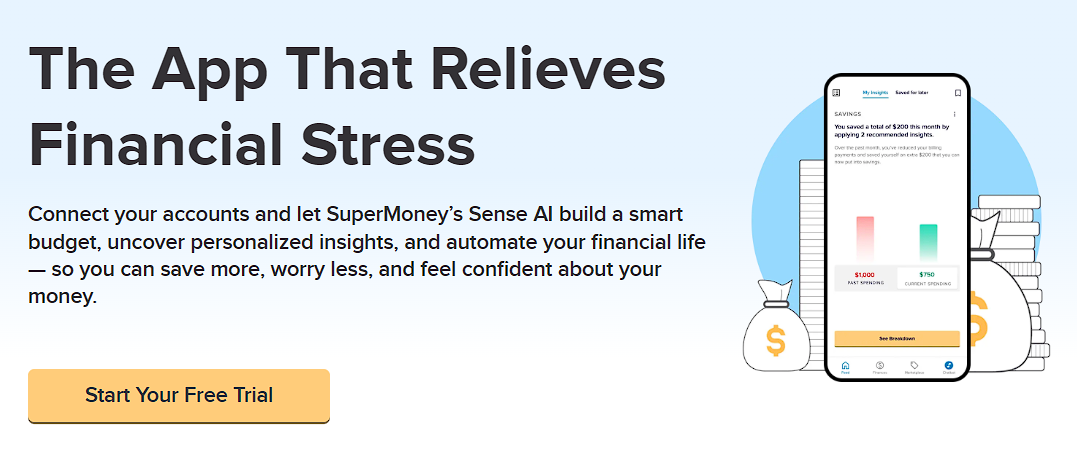 The SuperMoney app connects your accounts automatically and uses AI to surface spending patterns and savings opportunities without requiring manual data entry.
How AI Budgeting Apps Actually Work: The Mechanics
The demand for these tools is accelerating.
The global AI in banking and financial services market was valued at nearly $20 billion in 2023 and is projected to reach $143 billion by 2030, growing at a compound annual rate of 31.8%, according to Grand View Research.
Consumer adoption is already well underway: 46% of Americans report using AI to help manage their personal finances, according to a 2025 survey by FNBO — up from 37% just a year earlier, based on a separate Ipsos survey conducted for BMO.
Three types of machine learning algorithms drive most AI budgeting features
- Classification algorithms — These sort your transactions into categories (groceries, utilities, dining, subscriptions) automatically, using pattern recognition trained on millions of similar transactions. The more you use the app, the more accurate the classifications become because the model adapts to your specific merchants and spending habits.
- Regression algorithms — These forecast future expenses based on your historical data and seasonal patterns. If you consistently spend more in December or always have a higher electric bill in July, the model factors those cycles into its projections, not just your 30-day average.
- Anomaly detection algorithms — These flag transactions that fall outside your normal patterns — whether it’s a potential duplicate charge, an unusual merchant, or a subscription increase you may have missed. This is the same technology banks use to detect fraud, applied to personal finance management.
Together, these three layers create a system that categorizes in real time, projects forward, and flags outliers — running continuously in the background without requiring you to log in or update anything manually.
What AI Budgeting Apps Do That Spreadsheets Can’t
Spreadsheets are powerful tools for people who enjoy building and maintaining them.
For everyone else, they have a fundamental flaw: they only work when you update them.
AI budgeting apps operate on a pull model — they connect directly to your bank accounts and credit cards via secure APIs and ingest transaction data automatically, often within minutes of a purchase.
The practical advantages over spreadsheets compound over time:
- Continuous sync — Your financial picture updates in real time without any manual input. A spreadsheet is only as accurate as the last time you sat down with your statements.
- Behavioral learning — An AI app gets more useful the longer you use it, building a model of your personal spending rhythms. A spreadsheet stays as dumb as the formulas you put in it.
- Proactive alerts — Instead of discovering an overage at the end of the month, AI apps send push notifications when you’re approaching a category limit or when an unusual charge appears.
- Cross-account visibility — Income, checking, savings, credit cards, and loans can all feed into a single dashboard, giving you a consolidated view that a manually maintained spreadsheet struggles to replicate at scale.
For people using a set-it-and-forget-it money system, this automatic data layer is the foundation everything else is built on — you can’t automate your finances effectively without a system that tracks the actuals without your intervention.
SuperMoney tip: AI budgeting apps are most effective when you connect every financial account you actively use — checking, savings, and at least your primary credit card. Apps with partial data give partial insights; the more complete the picture, the more accurate the predictions and the more useful the recommendations.
AI Budgeting vs. Traditional Apps vs. Spreadsheets: A Comparison
Not every tool is right for every person. Here’s how the three main approaches compare on the dimensions that matter most for consistent budgeting success. For a side-by-side breakdown of specific platforms, the budgeting app comparison tool lists top-rated options by features, account sync support, and cost.
| Feature | AI Budgeting App | Traditional App | Spreadsheet |
|---|---|---|---|
| Transaction entry | Automatic (bank sync) | Semi-automatic or manual | Manual |
| Expense categorization | Automatic + self-learning | Rule-based (you set rules) | Manual |
| Spending predictions | Yes — behavioral ML model | No | Only if you build formulas |
| Personalized recommendations | Yes — based on your patterns | Generic tips only | None |
| Anomaly / fraud alerts | Yes — real-time detection | Rarely | No |
| Learning over time | Yes — improves with use | No | Only if you update it |
| Setup time | Low (connect accounts) | Medium (set up categories) | High (build from scratch) |
| Requires ongoing maintenance | Minimal | Moderate | High |
| Best for | Most people who want automation | People who want manual control | Finance enthusiasts who enjoy spreadsheets |
The Key AI Features That Drive Real Behavior Change
Understanding the technology is useful, but the more practical question is: which AI features actually move the needle on someone’s financial habits? Research consistently points to a handful of capabilities that translate technical intelligence into real behavior change.
Automated savings triggers — Some AI apps analyze your cash flow patterns to identify “safe to save” amounts and automatically move money into savings on days when your balance can absorb it. This is the same logic behind automating savings even on an irregular income — the AI handles the timing so you don’t have to guess.
For anyone still building their emergency fund, this trigger-based approach is one of the fastest ways to make consistent progress without manual transfers. You can also use AI apps to automate sinking funds — dedicated savings buckets for predictable future expenses like car repairs or annual subscriptions.
Bill tracking and duplicate detection — AI apps can identify recurring charges, flag when a subscription price increases, and alert you to charges you may have forgotten about. This pairs naturally with setting up automatic bill pay safely — the AI gives you visibility while the autopay handles execution.
Personalized budget recommendations — Rather than prescribing a universal framework like the 50/30/20 rule, AI budgeting tools analyze your actual spending history and suggest allocations based on what’s realistic for your income and lifestyle. A general framework is a starting point; an AI model treats your financial behavior as the data set.
Goal-aligned spending nudges — When you set a financial goal (emergency fund, vacation, debt payoff), AI apps can dynamically adjust your spending categories and send real-time alerts when a transaction puts you off track — without waiting for the end of the month to surface the problem.
The SuperMoney app connects your accounts automatically and uses AI to surface spending patterns and savings opportunities without requiring manual data entry.Limitations of AI Budgeting Apps
AI budgeting is genuinely useful, but it works best when you understand what it can’t do.
- It can’t make decisions for you — AI surfaces patterns and makes recommendations; it doesn’t enforce behavior. Receiving a nudge and acting on it are different things.
- It needs account connections to work — If you spend frequently in cash or have accounts you don’t connect, those transactions are invisible to the model. Partial data produces partial insights.
- Early predictions are imprecise — Classification algorithms and regression models get better as they accumulate data. In the first few weeks of using an AI budgeting app, expect some miscategorizations and conservative predictions.
- It’s not a substitute for a financial plan — AI budgeting excels at optimizing day-to-day money management. Long-term planning — retirement, estate planning, tax strategy — still benefits from human financial expertise.
How to Get Started With an AI Budgeting App
How to Set Up an AI Budgeting App
Most AI budgeting apps take less than 15 minutes to set up and begin working immediately once your accounts are connected.
- Choose an app that syncs with your bank — Confirm the app supports your specific financial institutions before committing. Most major banks and credit unions are supported via Plaid or similar open banking infrastructure.
- Connect all active accounts — Link your primary checking, savings, and any credit cards you use regularly. The more complete the data, the more accurate the AI’s categorization and predictions.
- Set your financial goals — Input at least one concrete goal (e.g., save $3,000 for an emergency fund, pay off $5,000 in credit card debt by December). This gives the AI’s recommendation engine a target to optimize toward.
- Review the first week’s categorizations — Machine learning improves through correction. When you see a miscategorized transaction, fix it — the model learns from those adjustments and gets more accurate over time.
- Enable alerts and notifications — Turn on spending threshold alerts, unusual transaction notifications, and low-balance warnings. These proactive nudges are what separate an AI budgeting app from passive tracking tools.
- Review monthly, not daily — The goal of AI budgeting is to reduce financial anxiety, not create more dashboard-checking habits. Set a monthly review date to assess insights, adjust goals, and confirm the app’s recommendations are aligned with your reality.
Is AI Budgeting Right for You?
AI budgeting apps deliver the most value for people who struggle to maintain consistent personal finance habits — not because they’re undisciplined, but because manual tracking creates friction that compounds into abandonment over time.
If you’re someone who has tried budgeting but couldn’t sustain it past the first month, AI automation removes the primary reason most people quit: the ongoing work of data entry and categorization.
For anyone living paycheck to paycheck, the proactive alert system is often the feature that makes the biggest immediate difference — catching overspending mid-month instead of at month-end. If you already have a disciplined manual system that’s working, an AI overlay can still add predictive value, but it’s less transformative.
The best personal finance apps combine account aggregation, intelligent categorization, and goal-tracking in a single interface — which is why AI-powered tools have replaced spreadsheets as the default recommendation for anyone starting a budgeting practice today.
If you’re building financial habits from scratch, the personal finance beginner’s guide covers the foundational steps that AI budgeting tools are designed to automate.
Key takeaways
- AI budgeting apps use three core machine learning techniques: classification (auto-categorization), regression (spending forecasts), and anomaly detection (unusual charge alerts).
- The fundamental difference from traditional apps: AI budgeting predicts future spending based on behavioral patterns, not just reports on what already happened.
- Setup is low-effort — connect your accounts, set a goal, and let the model build accuracy over the first few weeks of use.
- AI budgeting is most effective when all active financial accounts are connected; partial data produces partial insights.
- Limitations include an initial learning curve, inability to track cash spending, and no substitute for human financial planning on complex long-term goals.
- For most people who have tried and abandoned manual budgeting, AI automation removes the primary friction point — the ongoing manual work of data entry and categorization.
Frequently Asked Questions
Is there an AI app specifically for budgeting?
Yes — several personal finance apps use AI specifically for budgeting. They work by connecting to your bank accounts, automatically categorizing transactions using machine learning, and generating personalized spending recommendations based on your financial behavior. Examples include apps that use AI-driven cash flow analysis to identify safe-to-save amounts and predict upcoming expenses.
Can ChatGPT help with budgeting?
ChatGPT and similar general-purpose AI assistants can help you build a budget framework, answer questions about budgeting methods, or run through scenarios — but they don’t connect to your bank accounts, so they can’t automatically track your actual spending. For real-time budget tracking and personalized recommendations based on your transaction history, a purpose-built AI budgeting app is more effective.
Can AI help me balance my budget?
AI budgeting tools help balance your budget by analyzing your income and spending patterns and flagging categories where your outflows are consistently outpacing your inflows. They surface specific line items — recurring subscriptions, unusually high weeks in a category — that are easiest to adjust. The AI identifies the problem; the decision to change the behavior is still yours.
What is the best AI for personal budgeting?
The best AI budgeting tool for you depends on your primary goal: spending visibility, savings automation, or debt payoff planning. Look for an app that syncs with your specific bank, supports goal-setting, and offers proactive alerts — not just passive reporting. The SuperMoney app uses AI to surface spending insights and savings opportunities from your connected accounts without requiring manual data entry.
Is AI budgeting safe? Will it have access to my bank account?
Reputable AI budgeting apps connect to bank accounts in read-only mode through regulated open banking infrastructure (typically Plaid or similar providers), meaning they can see your transaction data but cannot move money or make changes to your accounts. Look for apps that use bank-level 256-bit encryption and are transparent about their data handling practices before connecting any financial account.
How is AI budgeting different from the 50/30/20 rule?
Fixed frameworks like the 50/30/20 rule or the 80/20 rule are static starting points — they apply the same percentage split regardless of your actual income, spending patterns, or financial goals. AI budgeting is dynamic: it analyzes your real transaction history to suggest allocations that are realistic for your specific situation, then adjusts recommendations as your financial behavior evolves.
Ready to stop tracking manually?The SuperMoney app uses AI to automatically categorize your spending, identify savings opportunities, and surface personalized insights from your connected accounts — so your budget runs in the background instead of requiring a weekend to maintain.
The SuperMoney app uses AI to automatically categorize your spending, identify savings opportunities, and surface personalized insights from your connected accounts — so your budget runs in the background instead of requiring a weekend to maintain.More From This Series: Automate Your Money
- How to Automate Savings Even if Your Income Is Irregular — Practical strategies for building savings on a freelance or variable income.
- How to Set Up Automatic Bill Pay Without Overdrafting — Schedule every bill on autopilot while keeping your checking account safe.
- Set It and Forget It Money System — A step-by-step framework for routing your income automatically so budgeting runs itself.
- How to Stop Living Paycheck to Paycheck — Concrete steps to break the cycle and start building a financial cushion.
- Overdraft Fees and Protection — How overdraft charges work, what protection options exist, and how to avoid them entirely.
- Sinking Fund — A dedicated savings strategy that lets you pre-fund large or irregular expenses without touching your budget.
Feeling overwhelmed by money worries?
SuperMoney's AI-powered budgeting tools help you track your money goes, set realistic goals, and reduce financial stress.
Andrew is the Content Director for SuperMoney, a Certified Financial Planner®, and a Certified Personal Finance Counselor. He loves to geek out on financial data and translate it into actionable insights everyone can understand. His work is often cited by major publications and institutions, such as Forbes, U.S. News, Fox Business, SFGate, Realtor, Deloitte, and Business Insider.
Share this post:
Add as a preferred source on Google
Table of Contents