Transfers Between Checking and Savings Accounts Explained

Last updated 03/16/2026 by
Andrew Latham
Edited by
Andrew Latham
Summary:
Transfers between checking and savings accounts are how you move money between the two account types — either manually or automatically — and the timing, limits, and fees involved depend on whether the accounts are at the same bank or different institutions. Here’s what to know:
- Same-bank transfers: Typically instant or same-day, with no fee
- External transfers: Usually take 1–3 business days via ACH and are free at most banks
- Transaction limits: Transfers from savings count toward your bank’s monthly limit (typically six) — transfers from checking do not
- Automation: Scheduling recurring transfers from checking to savings is the most reliable way to build savings without thinking about it
Whether you’re funding your emergency fund, moving money before a bill hits, or pulling cash back when you need it, understanding how transfers work saves you from delays and unexpected fees.
The rules are straightforward once you know which direction the money is moving and whether you’re staying within the same bank.
Compare Savings Accounts
Compare savings accounts. Discover your best option.
How do transfers between checking and savings work?
A transfer between checking and savings is an electronic movement of funds between two accounts — either at the same institution (internal transfer) or at different institutions (external transfer).
Both account types use the same underlying payment rail for most transfers: ACH (Automated Clearing House), the network that processes the majority of electronic bank-to-bank transactions in the US.
The key variables that affect every transfer are direction, account location, and timing — all covered below.
Pro tip: Set up your recurring savings transfer to process the day after your paycheck lands — not on payday itself. This gives your direct deposit time to fully clear before the transfer pulls, eliminating the risk of a failed transfer due to timing.
Same-bank vs. external transfers: how they differ
Whether your checking and savings accounts are at the same bank or different banks is the single biggest factor in how fast a transfer settles.
| Transfer Type | Speed | Fee | Limit |
|---|---|---|---|
| Same-bank (internal) | Instant to same-day | None | Varies by bank |
| External ACH (standard) | 1–3 business days | Usually free | Varies by bank |
| External ACH (expedited) | Same-day or next-day | $3–$10 typically | Varies by bank |
| Wire transfer | Same-day | $15–$30 outgoing | None typically |
For most everyday savings transfers, same-bank accounts are the most convenient. Pairing a high-yield savings account and a checking account at the same online bank gives you instant transfers between them with no fee and no waiting.
Which direction counts toward your savings account limit?
Transaction limits apply to withdrawals and outgoing transfers from your savings account — not to deposits or incoming transfers.
Moving money from checking to savings never counts toward the limit. Moving money from savings to checking does — regardless of whether the transfer is manual or automatic.
This distinction matters for how you structure recurring transfers. Automating a fixed transfer from checking to savings each month uses zero of your savings account transactions. Pulling that money back out later uses one.
The full breakdown of which transactions count — and what happens when you exceed the limit — is covered in the savings account withdrawal limits guide.
How long does a transfer from savings to checking take?
At the same bank, transfers from savings to checking are typically instant or complete within a few hours. Most online banks process same-bank transfers in real time during business hours.
At different banks, the timeline depends on the ACH network’s processing schedule. Standard ACH transfers initiate on business days and typically settle within one to three business days — weekends and federal holidays don’t count. If you initiate a transfer on Friday afternoon, it may not land until Tuesday or Wednesday.
Some banks offer expedited external transfers that settle same-day or next-day for a small fee. Wire transfers are the fastest option for large, time-sensitive amounts — but at $15–$30 per outgoing wire, they’re rarely worth it for routine savings transfers.
Pro tip: If you regularly need fast access to savings, keep your savings and checking accounts at the same bank — same-bank transfers are almost always instant and free, eliminating the 1–3 day ACH wait entirely.
How to set up automatic transfers between checking and savings
Automating your savings transfer removes the decision from the equation — money moves before you have a chance to spend it.
- Log into your bank’s online portal or app. Most banks allow you to set up recurring transfers directly from the transfers or payments section of their website or mobile app.
- Select the source and destination accounts.Choose your checking account as the source and your savings account as the destination. If the accounts are at different banks, you’ll need to link the external account first using your routing and account numbers.
- Set the amount and frequency. Common schedules are weekly, biweekly (aligned with payday), or monthly. Even a small fixed amount — $50 or $100 per pay period — compounds meaningfully over time.
- Choose the transfer date. Schedule the transfer for one to two days after your expected pay date to ensure your paycheck has cleared before the transfer initiates.
- Confirm and monitor. Check the transfer after the first scheduled date to confirm it processed correctly. Set a calendar reminder to review the amount annually and adjust upward as your income grows.
Can a transfer from savings to checking fail?
Yes — transfers can fail for several reasons, and the consequences range from a simple retry to an overdraft fee on the receiving account.
Common reasons a transfer fails:
- Insufficient funds in savings: If your savings balance is lower than the transfer amount, the bank will reject the transfer rather than overdraw the account.
- Exceeding the monthly transaction limit: Some banks block additional transfers once you’ve hit their monthly limit rather than approving the transaction and charging a fee.
- Account holds: New accounts, large deposits still on hold, or fraud flags can temporarily restrict transfer ability.
- Incorrect account details: An error in the routing or account number on an external transfer causes the transaction to be rejected, typically within one to two business days.
If a savings-to-checking transfer fails and your checking account was counting on those funds for a scheduled bill payment, you may incur an overdraft fee on the checking side. Maintaining a small buffer in checking — even $200–$500 — protects against this scenario. The guide to setting up automatic bill pay without overdrafting covers this in detail.
Pro tip: After linking an external savings account, most banks will make two small test deposits (each under $1) to verify the connection — confirm those amounts in your portal within 2–3 days or the link expires and you’ll need to restart the process.
How to link an external savings account for transfers
Linking accounts at different banks requires verifying ownership through one of two methods most banks support.
Micro-deposit verification is the standard method. Your bank sends two small test deposits (typically under $1 each) to the external account. You log in, find those amounts, and enter them to confirm the link. This process takes two to three business days.
Instant verification uses a third-party service — often Plaid — that connects to your external bank’s login portal. You authenticate directly, and the link is established immediately without waiting for test deposits. Most major online banks support this method.
Once linked, transfers between the accounts use the ACH network and follow the standard one-to-three business day timeline unless your bank offers expedited options.
Key takeaways
- Same-bank transfers between checking and savings are typically instant and free. External transfers take 1–3 business days via ACH.
- Only transfers out of savings count toward your monthly transaction limit — transfers from checking into savings never do.
- Automating a fixed transfer from checking to savings on payday is the most reliable way to build savings without manual effort.
- Transfers can fail due to low balances, monthly limit caps, account holds, or incorrect account details — a small checking buffer prevents downstream bill payment problems.
- Linking external accounts takes 2–3 days via micro-deposit verification or is instant via third-party services like Plaid.
- Keeping savings and checking at the same bank eliminates ACH wait times and makes the setup the most frictionless.
Frequently asked questions
How long does it take to transfer money from savings to checking?
At the same bank, transfers from savings to checking are typically instant or same-day. At different banks, standard ACH transfers take one to three business days. Expedited options at some banks can reduce this to same-day or next-day for a small fee, usually $3–$10.
Is there a fee to transfer money between checking and savings?
Internal transfers between accounts at the same bank are almost always free. External ACH transfers between different banks are also free at most institutions for standard processing. Expedited transfers and wire transfers carry fees — typically $3–$10 for expedited ACH and $15–$30 for outgoing wires.
Does transferring money from savings to checking count as a withdrawal?
Yes — at most banks, a transfer from savings to checking counts as one of your monthly transactions against your savings account limit. Transfers in the opposite direction (checking to savings) do not count. Repeatedly exceeding the limit can result in excess transaction fees or account conversion.
Can I transfer money from savings to checking instantly?
Yes, if both accounts are at the same bank. Same-bank transfers are processed in real time at most online banks. If your accounts are at different institutions, instant transfer isn’t available through standard ACH — you’d need an expedited transfer option or a wire transfer, both of which typically carry fees.
How do I set up automatic transfers from checking to savings?
Log into your bank’s online portal, navigate to the transfers section, and select a recurring transfer from your checking account to your savings account. Set the amount, frequency, and start date. Scheduling it one to two days after your paycheck lands ensures the funds are available before the transfer initiates.
The set-it-and-forget-it money system walks through how to automate your full financial setup around this pattern.
What happens if a transfer from savings to checking fails?
If the transfer fails due to insufficient funds or a limit cap, your checking account won’t receive the funds. Any bills or payments relying on that deposit may bounce or trigger an overdraft fee. Most banks notify you by email when a transfer fails.
Keeping a small buffer in checking prevents this from cascading into overdraft fees.
Put your money on autopilot
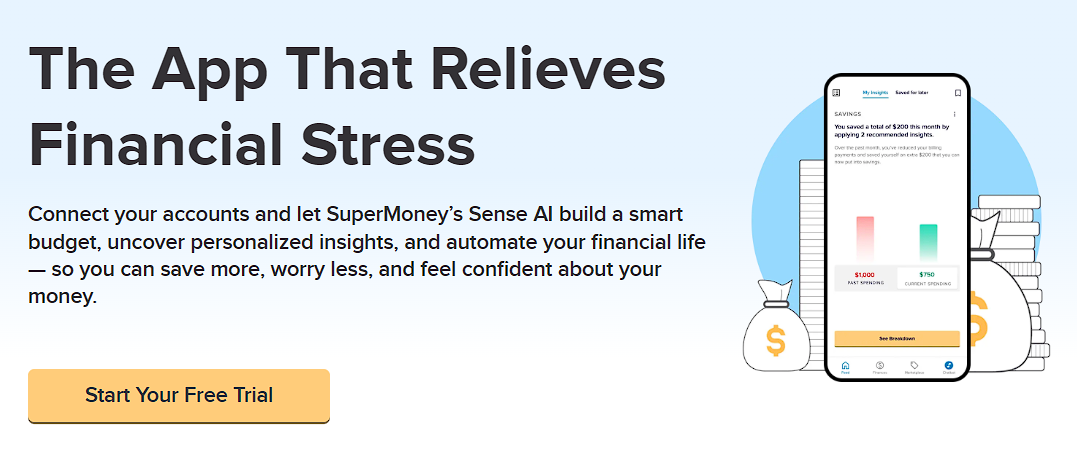
The SuperMoney app connects your checking and savings accounts in one dashboard — so you can schedule transfers, track balances, and monitor your savings progress automatically.
Andrew is the Content Director for SuperMoney, a Certified Financial Planner®, and a Certified Personal Finance Counselor. He loves to geek out on financial data and translate it into actionable insights everyone can understand. His work is often cited by major publications and institutions, such as Forbes, U.S. News, Fox Business, SFGate, Realtor, Deloitte, and Business Insider.
Share this post:
Add as a preferred source on Google
Table of Contents